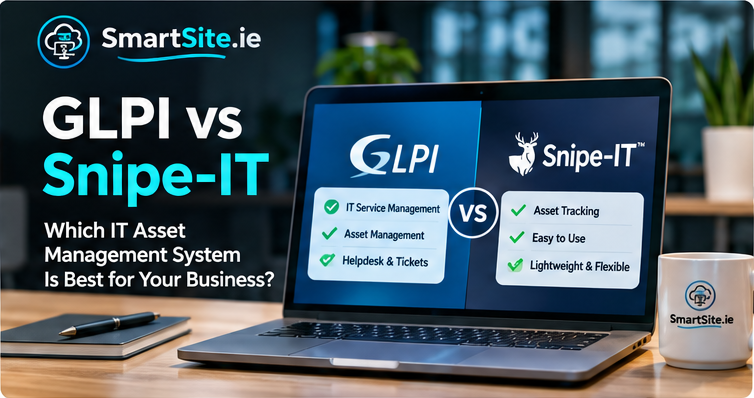
GLPI vs Snipe-IT: Which IT Asset Management System Is Best?
Keeping track of laptops, monitors, servers, software and other IT equipment becomes harder as an organisation grows. A spreadsheet may work at the beginning, but it can quickly become difficult to maintain when equipment moves between people, locations and departments.
GLPI and Snipe-IT are two well-known open-source platforms that can help organisations bring more structure to IT asset management. They overlap, but they are not identical products. The right choice depends on whether you mainly need an asset register or a broader IT service management platform.
What is IT asset management?
IT asset management (ITAM) is the process of recording and managing technology throughout its lifecycle. A useful asset record may include the make and model, serial number, asset tag, assigned user, location, purchase details, warranty, status and maintenance history.
A reliable register helps answer everyday questions: Who has this laptop? Which devices are due for replacement? What equipment is stored on site? Which assets are no longer in use? It can also support audits, budgeting, onboarding and offboarding.
GLPI: asset management with service desk capabilities
GLPI is an open-source IT service management and asset management platform. Alongside inventory and asset records, it provides helpdesk and ticketing workflows, so organisations can connect equipment and users with incidents, requests and support activity.
GLPI is worth considering when you want one platform for an asset register and an internal IT support process. Depending on the version, configuration and plugins you choose, it can also support areas such as contracts, suppliers, reservations, knowledge base content and reporting.
Snipe-IT: focused hardware and licence tracking
Snipe-IT focuses on asset management. It is designed to make it straightforward to record hardware, assign equipment to people or locations, track check-in and check-out activity, and manage accessories, components, consumables and licences.
Its focused approach can suit organisations that already use a separate helpdesk and mainly need a clear, accountable record of who has which asset. As with any platform, the final feature set depends on the edition, deployment and integrations in use.
GLPI vs Snipe-IT: the main differences
| Area | GLPI | Snipe-IT |
|---|---|---|
| Primary focus | IT service management and asset management | Hardware and software asset tracking |
| Helpdesk and tickets | Built-in ticketing and support workflows | Not a full ITSM helpdesk; often paired with another tool |
| Asset assignment | Yes | Yes, a central part of the workflow |
| Inventory discovery | Can support automated inventory through GLPI Agent and related components | Typically relies on records, imports and integrations for asset data |
| Best fit | Teams wanting assets and IT support workflows together | Teams wanting a focused asset register and check-in/check-out process |
| Configuration | Can be extensive, especially with plugins and service desk workflows | Often more focused on asset processes and administration |
When should you choose GLPI?
GLPI is a strong candidate if your organisation wants to connect equipment records with support tickets. For example, when an employee reports a laptop problem, a technician can work with the user, the device record and the ticket in the same system. This can make it easier to understand recurring faults and the support history of a device.
It may also suit schools, managed IT environments and organisations that need inventory discovery alongside service desk processes. Plan the initial configuration carefully: define asset types, locations, entities, user roles and ticket categories before importing a large amount of data.
When should you choose Snipe-IT?
Snipe-IT is worth evaluating if the main problem is knowing what equipment you own and who is responsible for it. Its assignment and check-in/check-out model is useful for laptops, phones, monitors, accessories and other equipment that moves between employees or locations.
If your helpdesk already works well elsewhere, a dedicated asset tool may be all you need. Before choosing, check how you will import existing records, connect identity or directory services if required, and keep asset information up to date.
Questions to ask before you install either platform
- Do you need ticketing and helpdesk workflows, or only an asset register?
- How many devices, users and locations will you manage?
- Do you need automated inventory discovery, manual registration or both?
- Who will maintain the system, update it and manage backups?
- Which fields and reports are essential for audits and day-to-day work?
- Do you need integrations with Active Directory, Entra ID, email or other systems?
- Where will the platform be hosted, and who is responsible for security and updates?
Our recommendation
Choose GLPI when you want asset management connected to a wider IT support and service management process. Choose Snipe-IT when your priority is a straightforward, dedicated asset register and equipment assignment workflow. Neither choice is automatically best for every organisation; a short requirements list and a small pilot will usually make the decision clearer.
Need help setting up GLPI or Snipe-IT?
SmartSite helps organisations across Ireland plan and implement open-source business systems, including GLPI and Snipe-IT. Support can include installation, hosting, configuration, asset structure, user permissions, migration and backup planning.
Contact SmartSite to discuss which approach fits your organisation and how to get started.