
Network Security for Small Businesses: A Practical Guide
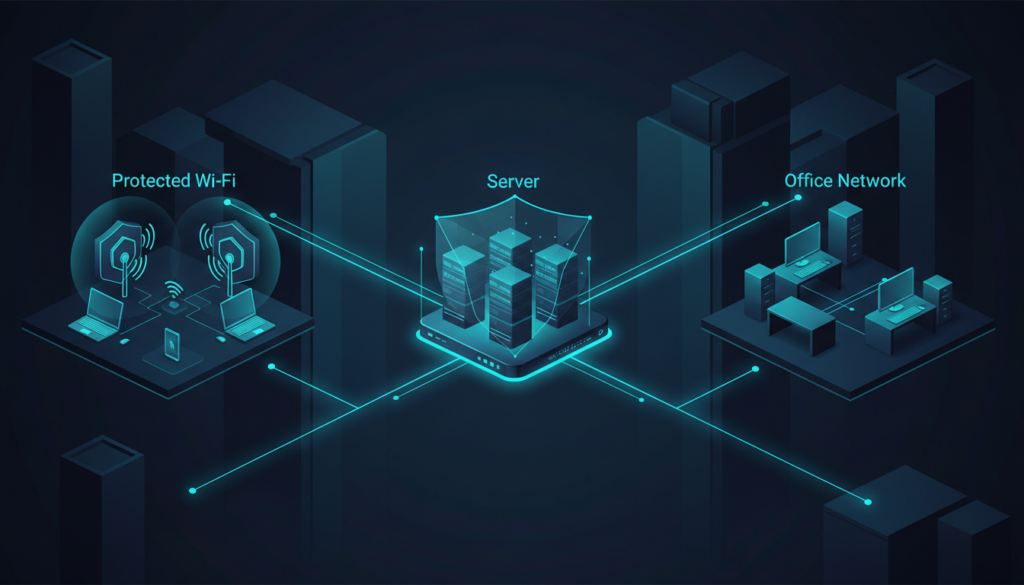
A business network connects employees, servers, printers, cloud services and sometimes customer-facing systems. If every device can communicate with every other device, a compromised laptop or poorly secured guest connection may create a path to more important systems. Good network security reduces unnecessary access while keeping daily work practical.
1. Map what is connected
Start with a network diagram and inventory of firewalls, switches, access points, servers, printers, cameras, phones and internet circuits. Record IP ranges, VLANs, DHCP scopes, DNS services and remote-access routes. Identify equipment that is unsupported or still uses default credentials.
Do not rely only on a diagram created years ago. Verify it against the live environment and record who owns each network component. An accurate map is essential during troubleshooting and incident response.
2. Secure the firewall and network edge
Change default administrator credentials, use named accounts, enable MFA where available and restrict management access to a trusted network or VPN. Review firewall rules regularly. Each rule should have a business purpose, an owner and a review date. Remove temporary exceptions when they are no longer needed.
Use a deny-by-default approach where practical and permit only the traffic required by business applications. Avoid exposing remote administration interfaces directly to the internet. Keep firmware supported and save configuration backups after approved changes.
3. Protect wireless networks
Use current Wi-Fi security supported by the equipment and devices. Change default access-point credentials, update firmware and use a separate guest network. Guest devices should not be able to reach internal servers, printers or management interfaces unless there is a specific reason.
For staff access, consider individual authentication or an enterprise Wi-Fi design where the organisation’s size and equipment justify it. Shared Wi-Fi passwords are difficult to revoke for one person and can spread beyond the intended users.
4. Segment networks with VLANs and firewall rules
VLANs can separate staff devices, servers, guest Wi-Fi, voice systems, cameras and management interfaces. Segmentation limits unnecessary communication, but a VLAN alone does not enforce security between networks. Inter-VLAN routing and firewall rules must define what is allowed.
| Example segment | Typical access requirement |
|---|---|
| Guest Wi-Fi | Internet access only |
| Staff devices | Approved business applications and services |
| Servers | Only required application and administration flows |
| Management | Restricted access from authorised administrator devices |
| Printers / IoT | Specific printing or management traffic only |
Design rules around actual application flows. Overly broad rules such as “allow any” can undo the benefit of segmentation, while overly restrictive rules can disrupt legitimate work.
5. Make remote access deliberate
Use an approved VPN or secure remote-access platform, require MFA and grant access only to the services needed for a role. Avoid shared remote-access accounts. Remove access when a contractor or employee no longer needs it and review logs for unusual login patterns.
6. Keep devices and network equipment updated
Patch operating systems, browsers, firewall firmware, access points and switches through a defined process. Replace devices that no longer receive security updates. Keep a record of maintenance windows and verify that critical services remain available after changes.
7. Monitor and prepare for incidents
Collect useful logs from firewalls, servers and endpoints. Look for repeated authentication failures, unexpected configuration changes, unusual outbound connections and devices appearing where they do not belong. Tools such as Wazuh can contribute to security visibility, but monitoring must have an owner and a response process.
Write down how to isolate a compromised endpoint, block a suspicious account, contact the internet provider and restore normal service. Keep emergency contacts available even if the main network or email system is unavailable.
Network security review checklist
- Current network diagram and device inventory.
- Default credentials removed and management interfaces restricted.
- Guest Wi-Fi separated from business systems.
- VLANs and firewall rules documented and reviewed.
- Remote access protected with MFA and individual accounts.
- Firmware and operating systems supported and patched.
- Important logs retained and reviewed.
- Incident isolation and recovery steps tested.
Frequently asked questions
Does a small office need VLANs?
Not every office needs complex segmentation. Guest isolation and separation of sensitive systems may be worthwhile even in a small environment. The design should match the risk and equipment capability.
Is a firewall enough?
No. Firewalls are important, but identity security, endpoint protection, patching, secure Wi-Fi, monitoring and backups are also needed.
How often should firewall rules be reviewed?
Set a regular review schedule and review immediately after major network or application changes. Remove rules that no longer have a valid owner or purpose.
How SmartSite can help
SmartSite supports organisations across Ireland with network design, firewall configuration, VPN and VLAN planning, server security and monitoring. Explore security and connectivity or contact SmartSite.
Example: a safer small-office network
A practical design might place staff laptops on one network, guest Wi-Fi on another and servers or management interfaces on restricted segments. Staff devices receive only the services they need, guests receive internet access only, and administrators reach network equipment through a controlled management path. The exact VLAN IDs and firewall rules depend on the equipment and applications; document the flows rather than copying a generic rule set.
Test the design with representative devices. Confirm that staff can print or access approved applications, guests cannot reach internal devices and administrators can still manage the network during a failure. Keep a backup of firewall and switch configurations before making changes.
What to review after a network change
Check DHCP leases, DNS resolution, routing, VPN access, wireless roaming, application connectivity and firewall logs. Ask users in different parts of the building to test normal work. A change is complete only when both the security objective and business workflow have been verified.
Do not overlook physical security
Network security also depends on who can reach switches, firewall appliances, server cabinets and wireless access points. Keep network equipment in controlled locations, change default console credentials and restrict access to reset buttons and cabling. Label ports and cables where practical, and record which switch ports connect to critical devices. Physical access can bypass some network controls, so include it in the review.
For small offices, simple steps such as locking the communications cabinet and disabling unused switch ports can reduce accidental changes and unauthorised connections.