
Wazuh: Open-Source Security Monitoring Explained
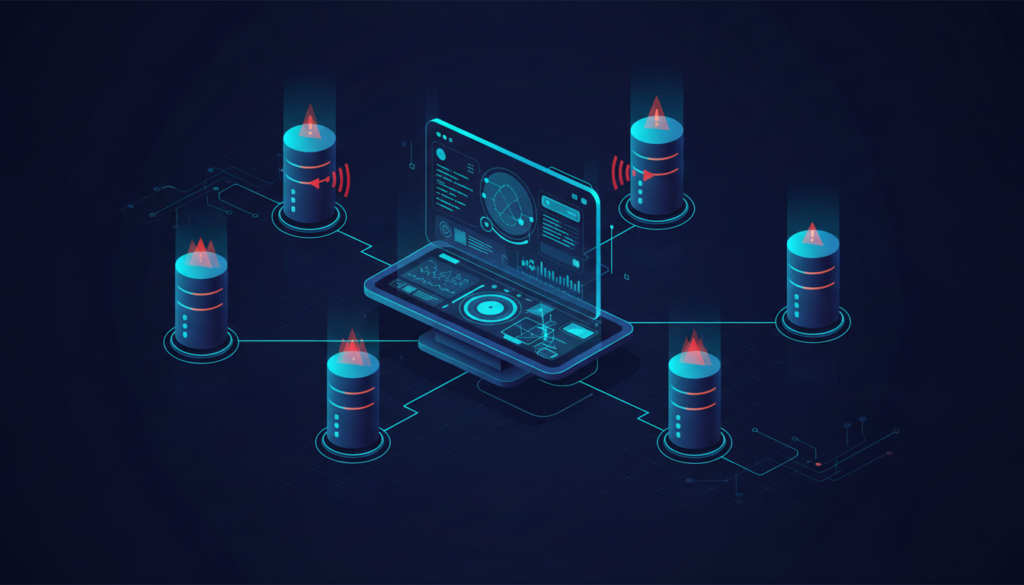
Wazuh is an open-source security platform that helps organisations collect and analyse endpoint data, investigate events and improve visibility across their systems. It can be useful for a business that needs centralised security monitoring, but it is not a plug-and-play guarantee of protection. The quality of the result depends on deployment design, agent coverage, rule tuning, storage capacity and a team that knows how to investigate alerts.
What Wazuh is designed to do
Wazuh brings together endpoint agents and central components that receive, analyse, index and present security information. Depending on the enabled capabilities and configuration, it can support security event analysis, file integrity monitoring, vulnerability detection, configuration assessment and log collection.
Think of it as a source of security visibility. It can help answer questions such as: which endpoint generated an event, what changed on a monitored system, whether a policy check failed and whether an alert needs investigation. It does not make an insecure endpoint secure simply because an agent is installed.
Understand the main components
A typical deployment includes agents on supported endpoints and central services for receiving and processing data, indexing events and presenting dashboards. The exact architecture and sizing depend on the Wazuh version, endpoint count, event volume, retention and availability requirements. Review the current official architecture and installation documentation before designing production capacity.
Plan the deployment before installing agents
- List the endpoints and operating systems that need monitoring.
- Identify systems with high event volume or limited resources.
- Decide which logs and security events are useful for the organisation.
- Estimate daily event volume and retention requirements.
- Define administrator roles and restrict dashboard access.
- Plan certificates, network paths, backups and upgrade ownership.
Start with a pilot covering representative Windows and Linux systems. Confirm agent connectivity, event collection, time synchronisation and dashboard access before expanding. A staged rollout makes it easier to identify noisy rules and resource problems.
Use alerts to support an investigation process
An alert is a signal, not a conclusion. Define who reviews each priority, what evidence should be collected and when an incident is escalated. Record the affected endpoint, user, timestamp, event details and actions taken. Correlate information with firewall, identity and application logs where available.
Tune rules carefully. If every routine event generates a high-priority alert, staff may begin ignoring notifications. Conversely, suppressing too much can hide useful evidence. Test rule changes against representative events and document why exclusions exist.
File integrity monitoring: useful but context matters
File integrity monitoring can report changes to selected files and directories. It is especially useful for sensitive configuration, application binaries and system locations. However, normal patching and application updates also change files. Define the paths, frequency and expected maintenance activity so that alerts are meaningful.
Vulnerability and configuration visibility
Vulnerability detection can help identify installed software that matches known vulnerability information, subject to supported platforms, inventory accuracy and feed freshness. Treat findings as a prioritisation aid: verify whether the affected package is installed, reachable and used, then assess the vendor advisory and available remediation.
Configuration assessment can highlight deviations from selected security baselines. Review the checks that apply to the operating system and business role. A generic benchmark may need adjustment for a server that provides a specific application or has approved exceptions.
Size and secure the platform
Estimate event volume, retention, indexing and dashboard usage before choosing hardware. Monitor the monitoring platform itself: disk capacity, memory, service health, certificate expiry, agent connectivity and backup status. Restrict management interfaces to authorised networks, use strong authentication and keep components updated.
What Wazuh does not replace
- It does not replace patch management or secure system configuration.
- It does not replace endpoint protection or firewall controls.
- It does not guarantee that every attack will be detected.
- It does not replace tested backups and recovery procedures.
- It does not provide incident response unless people and procedures are assigned to act.
Example operational workflow
- An alert is generated on a monitored endpoint.
- The analyst checks the timestamp, endpoint, user and event details.
- Related identity, network and application logs are reviewed.
- The event is classified as expected activity, false positive or potential incident.
- Where needed, the endpoint or account is isolated through the approved response process.
- Evidence, decisions and recovery actions are documented.
Frequently asked questions
Is Wazuh a SIEM?
Wazuh provides SIEM-related security monitoring and event-analysis capabilities. Whether it meets a particular organisation’s SIEM requirements depends on integrations, scale, retention, reporting and operational processes.
Can Wazuh monitor Windows and Linux?
It supports agents for multiple operating systems. Check the current compatibility documentation for exact versions and capabilities before deployment.
Is Wazuh suitable for a small business?
It can be, if the business has a clear monitoring requirement and someone can maintain the platform and investigate alerts. A smaller, well-tuned deployment is more useful than broad coverage nobody reviews.
How SmartSite can help
SmartSite supports organisations across Ireland with Linux and Windows infrastructure, security monitoring, Wazuh planning, server administration and operational documentation. Explore security and connectivity or contact SmartSite to discuss monitoring requirements.
Example: tuning a noisy alert
Suppose a monitored server generates repeated file-integrity alerts during an approved application update. The correct response is not automatically to disable file-integrity monitoring for the whole host. Confirm which files changed, whether the update was authorised and whether the changes match the vendor package. If the activity is expected, document a narrow exception for the relevant path or maintenance window and keep monitoring the sensitive files that matter.
Use a change record to connect expected administrative activity with security events. This helps investigators distinguish planned maintenance from an unexplained change and makes alert review more consistent.
Security monitoring readiness checklist
- All in-scope endpoints are inventoried and supported.
- Agent connectivity and event timestamps are checked.
- Dashboard access is restricted and protected.
- Retention and storage capacity are monitored.
- Alert priorities have named owners and escalation routes.
- Rules and exceptions are reviewed after changes.
- Incident evidence and response steps are documented.
Measure whether monitoring is improving security
Useful measures include the percentage of in-scope endpoints reporting to the platform, time taken to triage high-priority alerts, number of unresolved critical findings and proportion of alert rules reviewed after changes. These measures do not prove that every threat is detected, but they help show whether the monitoring process is operating.
Review coverage when devices are replaced, rebuilt or moved between networks. An endpoint that silently stops reporting can create a blind spot. Assign an owner to investigate agents that are disconnected for longer than the agreed period.